Rankings Dropped? What to Check First (Before You Change Anything)
目次
Key Takeaways: When Rankings Drop, Check Before You Fix
"Organic traffic has been down since last week." The moment you notice, the urge to start rewriting pages kicks in. I get it. But in the cases I've been asked to look at, changing things before confirming the cause has often left people unable to tell what actually worked. Here's what Google's own guidance boils down to.
- Suspect your tracking first — Confirm that search visits actually fell, rather than the way they're counted. Search Console's most recent data is preliminary, and Google publishes its own reporting glitches on a "Data anomalies" page
- Then check whether your site is broken — Server outages, an accidental noindex (a tag telling search engines not to list a page) and URL changes are among the technical issues Google lists as common causes of traffic drops
- Manual actions and security issues take minutes to rule out — Search Console has a dedicated report for each, and both show a green check mark when nothing is wrong
- Treat updates and seasonality as outside changes — Use the Google Search Status Dashboard for update timing, and 16 months of data plus Google Trends for seasonal patterns
- Look at competitors last — Only after everything above, check how the top results changed. For a small drop like position 2 to 4, Google says no drastic action is needed
Let's walk through the six checks in order.
1. Why the Order of Checks Matters
The worst thing you can do after a drop is try several fixes at once without knowing the cause.
Google's guide, "Debugging drops in Google Search traffic," lists the main causes of traffic drops: algorithmic updates, technical issues, security issues, spam issues, seasonality and changing interests, and site moves. It also notes that a drop can come from a change in data processing or a logging error.
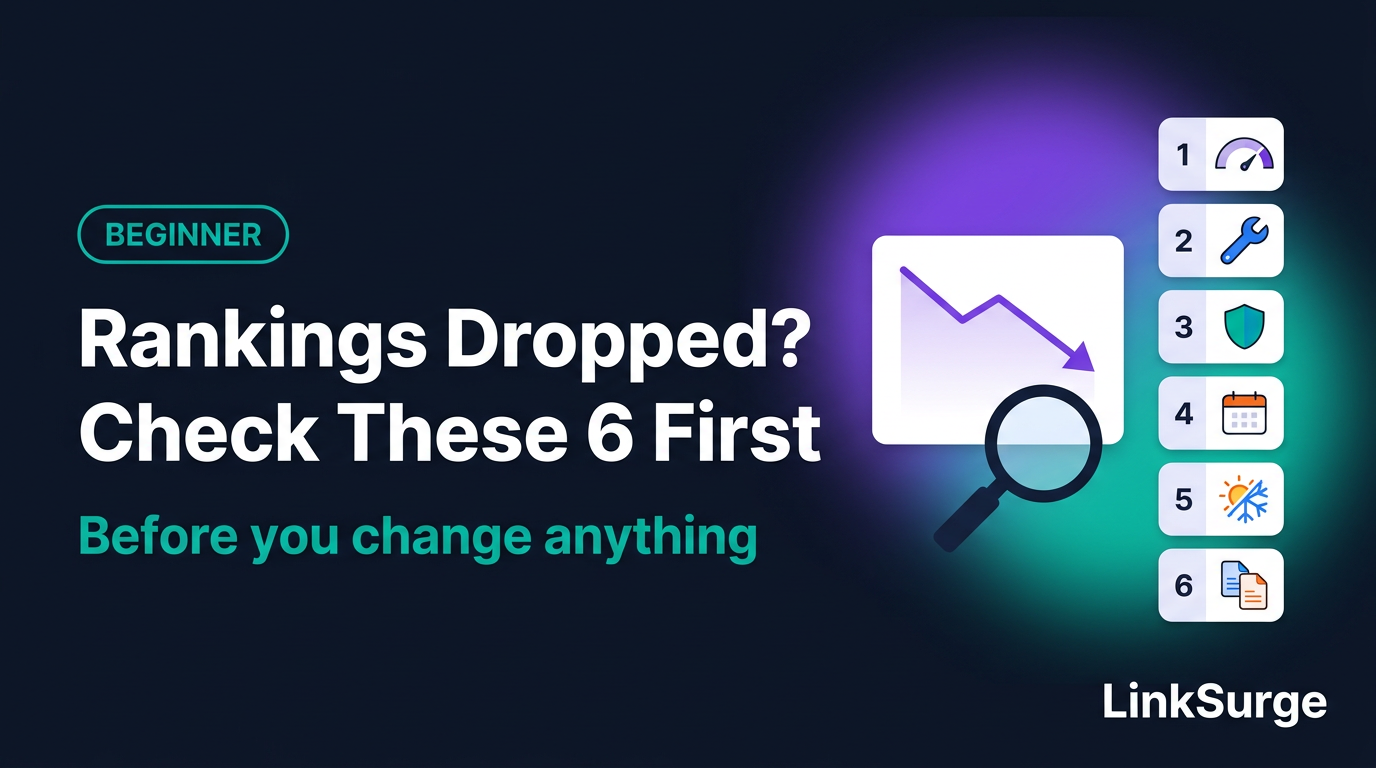
With that many candidates, you need an order. Here's the one I recommend.
| Order | What to check | Why it goes here |
|---|---|---|
| 1 | Tracking problems | If traffic didn't really fall, nothing else matters |
| 2 | Technical issues | You can fix these yourself, and fixing them can bring traffic back |
| 3 | Manual actions and security | Opening two reports gives you a clear yes or no |
| 4 | Google updates | Matching dates against the public update history |
| 5 | Seasonality and demand | Comparing against last year and search interest overall |
| 6 | Competitors and results-page changes | Most open to guesswork, so it comes last |
Quick to check and in your control goes first. Slow to confirm and out of your hands goes last. It's the same logic as a doctor checking your temperature and blood pressure before ordering scans.
Daily ranking movement on its own is normal. If you haven't yet, read "Why Do Search Rankings Change Every Day?" first. It makes this article easier to follow.
References: Debugging Drops in Google Search Traffic - Google Search Central
2. Check 1: Did Traffic Actually Drop? (Tracking Problems)
This first check is almost boringly simple. Skip it, though, and you can end up panicking over nothing. I've watched that happen more than once.
Name the number that dropped
"Rankings dropped" can mean very different things depending on who's looking.
- A rank tracker's position — Where you appear when searched under fixed conditions
- Search Console's average position — The average of your position across searches where you appeared
- Search Console's clicks — How many times people clicked through from search results
- Your analytics sessions — Visits counted by the tracking tag on your site
These four count different things (more in "Rankings, Impressions, and Clicks Are Not the Same Thing"). Start by writing one sentence: which report, which number, and since when.
Search Console's newest data is preliminary
According to Search Console Help, the most recent data in the Performance report is preliminary and is shown as a dotted line on the chart. Today's or yesterday's numbers may fill in later. Don't judge based on the last few days alone.
Google posts its own reporting glitches
Search Console has a "Data anomalies" help page that lists known issues, such as changes in how data is aggregated or logging errors, that can cause sudden dips or spikes in your charts. When I checked on October 13, 2026, it included entries like these:
- From May 13, 2025 to April 27, 2026, a logging error meant impressions weren't reported accurately. After the fix, impressions and related metrics (CTR and average position) may look lower. Clicks weren't affected
- Starting May 7, 2026, FAQ rich results (the expandable question-and-answer display in search results) stopped appearing in Google Search, so FAQ-related impressions drop
Check whether your drop lines up with any dates on that page. If it does, your site may not be the problem at all.
Did only your analytics drop?
If Search Console clicks are steady but your analytics tool shows fewer visits, suspect tracking, not search. Ask whether a redesign removed the tracking tag or whether someone changed the cookie consent banner.
References: Performance report (Search results) - Search Console Help Data anomalies in Search Console - Search Console Help
3. Check 2: Is Your Site Broken? (Technical Issues)
If tracking looks fine, move to your own site. These are problems you can fix, so finding one here is the fastest route to recovery.
The technical issues Google lists
Google's guide describes problems that stop it from crawling (visiting and reading), indexing (storing in its database) or serving your pages. Examples include:
- Server availability problems
- Google being unable to fetch your robots.txt (the file telling crawlers where they can go)
- Pages not found (404 errors)
- A misplaced noindex tag
Sudden drop or slow slide?
The shape of the drop is a clue. Google explains that a site-wide problem like an outage tends to cause a sudden drop, while something like a misplaced noindex causes a slower decline as Google recrawls each page.
The whole site, or just some pages?
If the whole site dropped, open Search Console's Page indexing report and see whether the number of indexed pages fell sharply. If only certain pages dropped, paste a few of their URLs into the URL Inspection tool to see how Google currently treats them.
Did you change anything recently?
In my experience, the most overlooked cause is your own team's work. A redesign, a CMS (content management system) switch, URL changes, merging or deleting pages. Ask around whether anything shipped right before the drop started.
Changing URLs without setting up redirects (automatic forwarding from old URLs to new ones) is a classic cause. For redesign pitfalls, see "5 Website Redesign Mistakes That Wipe Out Search Traffic." For domain or URL changes, see "Domain Migration and URL Change Checklist." For individual settings, see "Why Isn't My Page on Google?" and "What Is a 301 Redirect?"
References: Debugging Drops in Google Search Traffic - Google Search Central
4. Check 3: Manual Actions and Security Issues
The third check is whether Google has flagged anything. You only need to open two reports. When I take over a site, I open these two first, even if rankings look fine.
What is a manual action?
A manual action happens when a human reviewer at Google looks at your site and decides it violates Google's spam policies (rules against trying to manipulate search rankings). According to Search Console Help, affected pages can rank lower or disappear from results entirely. Visitors see nothing different, so you won't notice unless you open the report.
What are security issues?
These cover sites that have been hacked, infected with malware (harmful software) or used for phishing (fake pages that trick people into entering personal details). Google may label affected pages in search results or show a browser warning, which can reduce traffic.
No problems means a green check mark
Both reports show a green check mark when no issues are found. If you receive a manual action, Search Console also notifies you through its message center.
If you do find a problem, fix it across the whole site following the report's guidance, then request a review from the report. Reviews can take days or weeks, and Google asks you not to resubmit before you hear back.
One more thing: a ranking drop from a core update is completely separate from a manual action. A drop is not automatically a penalty.
References: Manual Actions report - Search Console Help Security Issues report - Search Console Help
5. Check 4: Does the Drop Line Up With a Google Update?
Now we move to outside changes. If your site looks healthy, compare your dates against Google's.
Open the Google Search Status Dashboard
Google publishes the start and end dates of major ranking updates on its Search Status Dashboard. The dashboard also tracks crawling, indexing, ranking and serving (displaying results), so Google-side incidents show up there too.
As of October 13, 2026, the ranking updates listed for 2026 were:
| Update | Start date | Time to complete |
|---|---|---|
| March 2026 spam update | March 24, 2026 | Under a day |
| March 2026 core update | March 27, 2026 | About 12 days |
| May 2026 core update | May 21, 2026 | About 12 days |
| June 2026 spam update | June 24, 2026 | About 2 days |
| August 2026 spam update | August 18, 2026 | About 3 days |
| September 2026 spam update | September 24, 2026 | About 14 days |
See whether your drop started between any update's start and end date.
If it does, wait a week after completion
For core updates, Google recommends waiting at least a full week after the update finishes, then comparing that week against the week before the rollout started. Rankings swing hard mid-rollout, so judging during it is too early.
Even if the dates match, don't conclude the update caused it. A site-side problem can happen at the same time. That's exactly why checks 1 through 3 come first.
References: History for Ranking - Google Search Status Dashboard Google Search's Core Updates and Your Website - Google Search Central
6. Check 5: Is It Seasonality or Shifting Demand?
If no update lines up, check whether fewer people are searching in the first place.
Set the date range to the last 16 months
Google's guide suggests setting the Performance report to the last 16 months to see whether the same drop happens every year. Then use the Compare feature to put the last 3 months next to the previous 3 months, or the same period last year, to see how big the change really is.
Use Google Trends to see the wider picture
Look up your biggest traffic queries one at a time in Google Trends. That tells you whether only your site dropped or interest in the topic itself fell. Google's guide gives the example that searches for turkey peak every November, while searches for coffee stay fairly steady all year.
Honestly, a lot of the "sudden drop" questions I've seen get resolved right here. Holiday gift guides fall in January. Tax-season content falls in May. Put last year's chart next to this year's and the same dip is sitting right there.
Did only clicks drop?
If impressions held steady but clicks fell, the story is different. Google points to two possibilities: your title or snippet isn't conveying the content well, or competitors are getting more eye-catching rich results. When more elements like AI Overviews appear above the links, your listing may also stand out less. "What Is Zero-Click Search?" covers this.
References: Debugging Drops in Google Search Traffic - Google Search Central Google Trends
7. Check 6: Did Competitors or the Results Page Change?
Finally, look at the actual search results. This goes last because "a competitor overtook us" sounds plausible and makes it tempting to skip everything else.
Match your response to the size of the drop
Google splits its advice by how far you fell.
- Small drop (e.g., position 2 to 4) — No drastic action. Google warns against making radical changes to a page that's already performing well
- Large drop (e.g., from the top 10 to position 29) — Review whether your whole site is helpful, reliable and made for people
Search it yourself and look at the top results
Search the keywords that dropped and look at what's ranking now. Do the newer pages carry more current information than yours? Are there videos, maps or AI answers that weren't there before?
Keep in mind that what you see depends on your location, device and search history. If you have daily rankings recorded under consistent conditions, you can go back and see exactly when you swapped places and with which page. That's why rank trackers like LinkSurge measure under fixed conditions.
If the drop is large
Google recommends a self-assessment of the whole site and a closer look at the hardest-hit pages. It also warns against quick fixes like deleting elements just because you heard they're "bad for SEO." Changes can take anywhere from a few days to several months to show an effect, and Google states there's no guarantee your rankings will come back.
References: Google Search's Core Updates and Your Website - Google Search Central Debugging Drops in Google Search Traffic - Google Search Central
8. What Not to Do Until You've Finished Checking
While you work through the six checks, hold off on these.
- Rewriting pages heavily — If you change things before knowing the cause, you won't know what worked when traffic returns
- Deleting pages — Google calls removing content a last resort
- Changing titles repeatedly — Change them daily and you can't trace which change did what
- Running several fixes at once — Change one thing at a time, and log the date first
Search Console's custom annotations make the logging easy. Added in November 2025, they let you right-click the Performance report chart, pick a date and leave a note of up to 120 characters. Everyone with access to the property can see them, so the whole team shares one change log.
I once worked on a site where nobody had recorded change dates. Six months later, no one could explain a dip in the chart. One line of notes would have saved hours.
References: Adding Context to Your Search Console Data With Custom Annotations - Google Search Central Blog
9. Common Misconceptions and Mistakes
Here are three traps people fall into after a drop.
Myth: "It lined up with an update, so the update caused it."
Even if the timing matches, a URL change or tracking tweak made the same week could be the real cause. Treat the update as one possibility and finish the other checks.
Mistake 1: Calling it a crash without comparing to last year
In seasonal niches, a month-over-month decline may happen every single year. Compare against the same period last year using the 16-month view.
Mistake 2: Rewriting every page "just in case"
Say you rewrite your main pages the week after traffic dips, and two weeks later the numbers recover. Looks like success. But if the real cause was a post-holiday demand drop, demand simply came back. You're left with all the effort and no idea whether the rewrite did anything. Checking first would have saved that work.
10. How to Check Your Own Site
Most of the tools are free. Search Console and your analytics tool cover tracking, technical issues, manual actions, security and seasonality. The Search Status Dashboard covers updates, and Google Trends covers demand. What's left for the sixth check is a daily record of your rankings.
You can't start that record retroactively after a drop. Tracking daily under fixed conditions, as LinkSurge's rank tracker does, lets you go back and see exactly which keywords moved and when.
Once you have a likely cause, the next challenge is explaining it to your boss or client. That's covered in the next article, "How to Explain a Ranking Drop."
LinkSurge
linksurge.jp
SEO・AIO・GEO統合分析プラットフォーム。AI Overviews分析、SEO順位計測、GEO引用最適化など、生成AI時代のブランド露出を最大化するための分析ツールを提供しています。
Quick Check
Q1: Your analytics shows a sudden drop in visits, but Search Console clicks haven't changed. What do you suspect first?
Answer: A tracking problem rather than a search problem. Check whether a site change removed the tracking tag or similar.
Q2: Your drop started during a core update. When should you start analyzing its impact?
Answer: At least a full week after the update finishes. Then compare against the week before the rollout began.
Q3: Where can you see whether your site has a manual action?
Answer: In Search Console's Manual Actions report. If there's no problem, it shows a green check mark.
Frequently Asked Questions
What should I do first when my rankings drop?
First, confirm that search traffic actually fell. Search Console's latest data is preliminary, and Google lists its own reporting issues on the Data anomalies page. Then check, in order, technical issues, manual actions and security issues, Google updates, seasonality and competitors.
My page dropped from position 2 to 4. Should I rewrite it?
Google says a small drop like position 2 to 4 doesn't call for drastic action, and advises against radically changing a page that's already performing well. Watch the trend for at least a week before deciding.
How long until lost rankings come back?
There's no fixed timeline. If you fixed a technical issue, rankings can return once Google recrawls the pages. After a core update, Google says improvements can take a few days to several months to show, and there's no guarantee rankings will recover.
Conclusion: The More You Panic, the More You Need the Checklist
When you spot a drop, take a breath and work through it in order: tracking, technical issues, manual actions and security, updates, seasonality, competitors. The first three mostly involve opening reports and comparing numbers, so they don't take long. Often they'll point you to the cause, or at least confirm your site isn't broken.
If the cause looks external, don't touch anything for about a week. When you do make changes, make them one at a time and log the date. It feels slow, but it's usually the fastest way back.
The previous article in this series is "Why Do Search Rankings Change Every Day?." Up next: "How to Explain a Ranking Drop." For the full reading order, see the "SEO, GEO and AIO Beginner Curriculum," and check the "SEO Glossary for Beginners" whenever a term trips you up. If Search Console still feels unfamiliar, start with "Your First Hour in Google Search Console."
LinkSurge's rank tracker records daily rankings automatically, so you can pinpoint the day and the keywords where a drop began.