How to Read Search Console's Generative AI Performance Report: What AI Overviews and AI Mode Impressions Tell You (and What They Don't)
目次
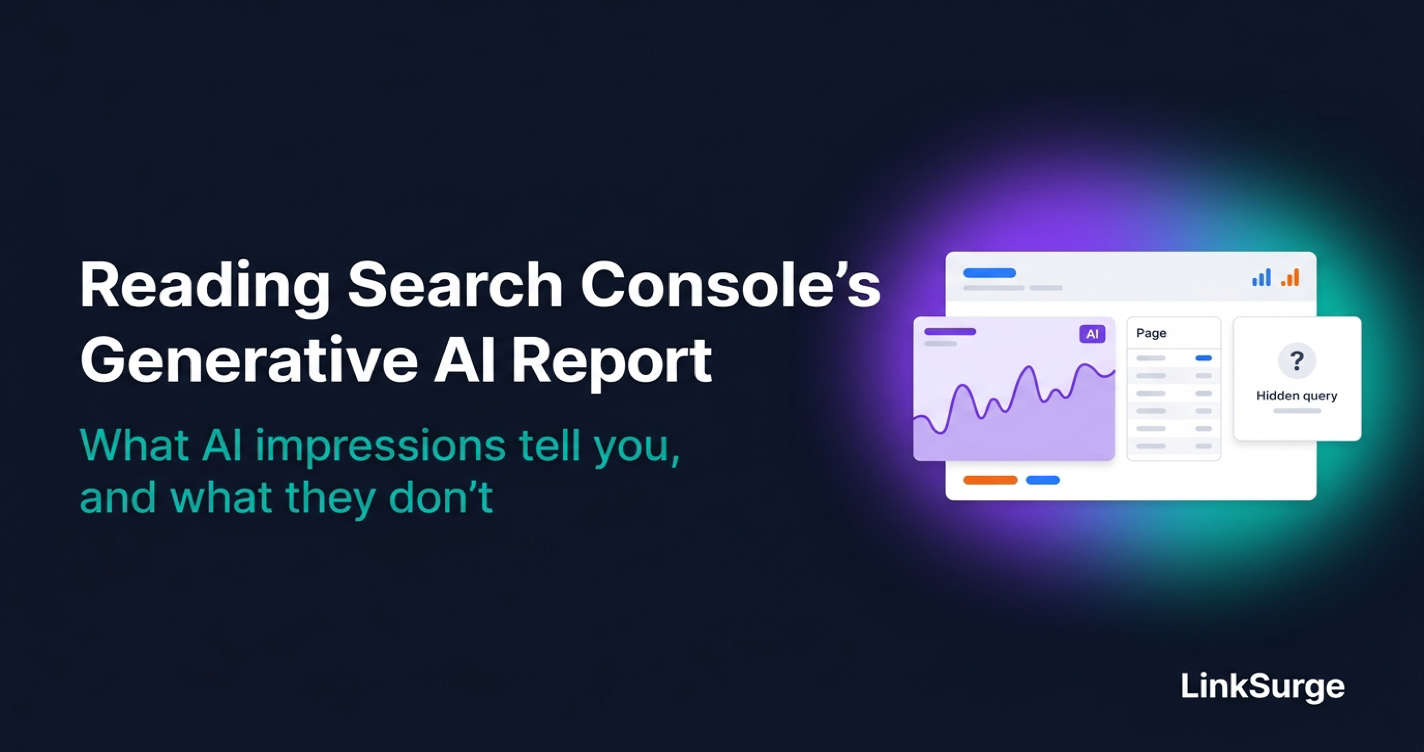
Key Takeaways: You can now see which pages show up in Google's AI features. You still can't see which searches
Google announced the Search generative AI performance report on June 3, 2026, and finished rolling it out to every site worldwide on August 31. After going through the help docs and the announcement posts line by line, here's what matters.
- The only metric is impressions — The report shows how often links to your site appeared in Google's AI Overviews and AI Mode, broken down by page, country, device, date and search type. There are no other metrics yet, though Google says it plans to add more over time
- No AI-only clicks, no queries — Clicks on links in AI Overviews and AI Mode are counted in the regular Performance report, mixed in with every other web click, and there's no way to separate them. The report also doesn't show which search queries triggered your AI impressions
- Counting differs slightly from the regular report — If two links from your site appear in the same AI answer, the chart counts one impression because it aggregates by property. The page table aggregates by page instead, so chart totals and table totals won't always match
- Opting out doesn't hurt your rankings — The new Search generative AI control removes your links and content from AI Overviews, AI Mode and generative AI in Discover. Google says it isn't used as a ranking signal. It also doesn't stop AI training
- Fill the query gap with keyword-level tracking — Bing Webmaster Tools shows a sample of the grounding queries behind AI citations, but Google's report shows no queries at all. To learn which keywords put your pages in AI Overviews, you need keyword-level tracking, by hand or with a tool
Let's break each of these down.
1. What Changed Between June and October 2026
Here's the timeline, pulled from Google's own posts and help pages.
| Date | What happened |
|---|---|
| June 3, 2026 | Google announces the generative AI performance report and a control to exclude your site from AI features. Initial rollout to a subset of sites |
| August 31, 2026 | Report and control available to every site worldwide |
| September 16, 2026 | John Mueller says position and impression tracking for AI features will "evolve over time" |
| September 24, 2026 | New "Web: multimodal" search type filter for image-based searches like Lens and Circle to Search |
There are two reports: one for Search and one for Discover. This guide covers the Search report.
What struck me in the announcement is a single line: AI feature impressions were already part of the overall Performance report. The data isn't new. What's new is a dedicated view that isolates it.
References: Introducing Search Generative AI performance reports in Search Console - Google Search Central Blog New controls and insights for website owners in Search - Google Announcing web multimodal Search performance reporting in Search Console - Google Search Central Blog Google: Google Search Console AI Position Reporting Will Evolve Over Time - Search Engine Roundtable
2. What the Report Shows, and What It Doesn't
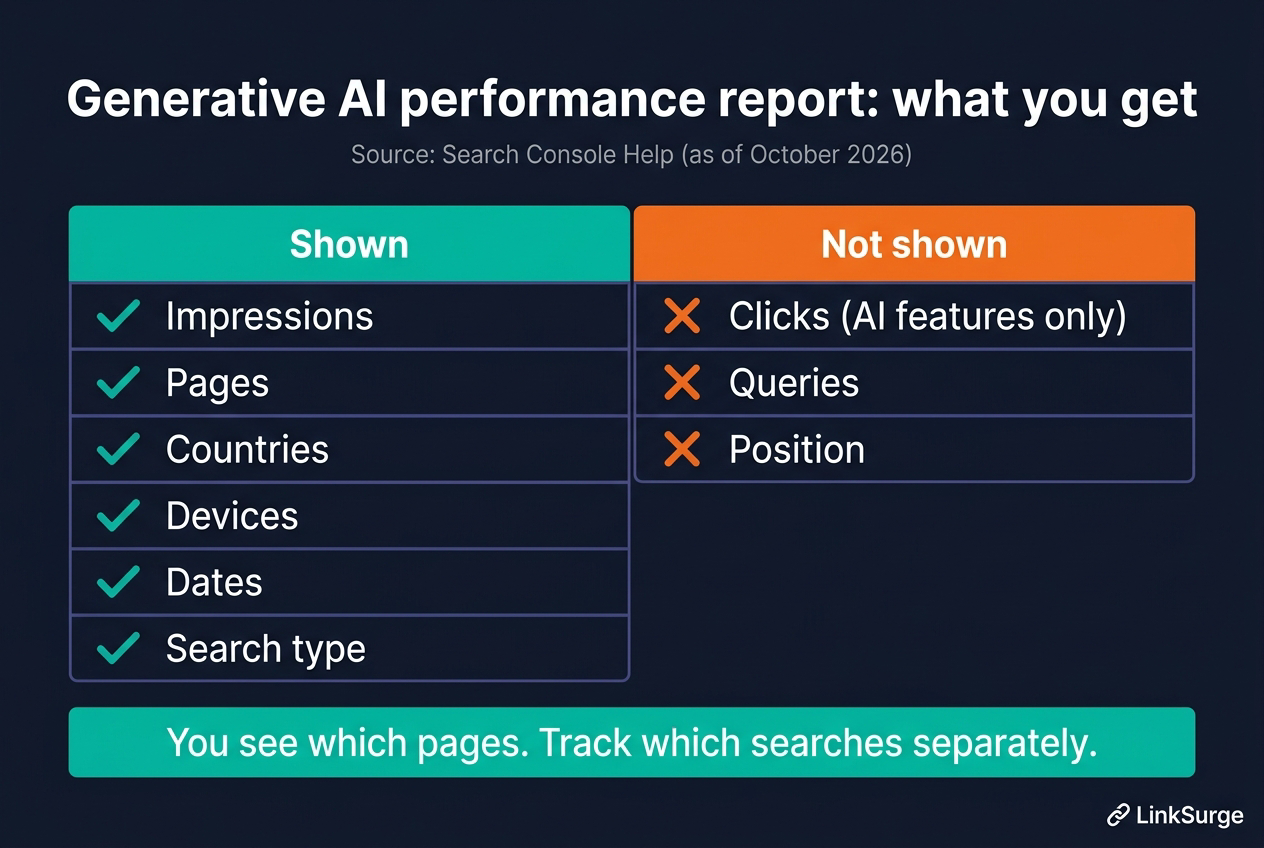
| Item | Generative AI performance report | Notes |
|---|---|---|
| Impressions | Yes | How often links to your site appeared in AI features |
| Pages | Yes | Final URL after redirects, mostly grouped by canonical |
| Countries | Yes | Where the search originated |
| Devices | Yes | Desktop, tablet, mobile |
| Dates | Yes | Daily, weekly or monthly, in Pacific Time |
| Search type | Yes | "Web: text-based" and "Web: multimodal" |
| Clicks | No | Counted in the regular report, but AI clicks can't be isolated |
| Queries | No | You can't see which searches triggered impressions |
| Position | No | Not shown in this report |
Where do AI Overviews clicks go?
This trips people up. Google's Performance report documentation says clicking an external link in AI Overviews or AI Mode counts as a click. So the clicks are recorded. They're just mixed in with every other web click, and there's no filter to pull them out.
Position has its own rules too. An AI Overview occupies a single position in the results, and every link inside it gets that same position. AI Mode follows the same position methodology as a regular results page.
How impressions are counted
Chart data is aggregated by property. In Google's words, if two results from the same site appear in one generative AI feature, they count as a single impression in the chart total. The page table aggregates by page, so chart and table totals won't always match.
A few more details. Search Labs experiments aren't included. The newest data is preliminary and shown as a dotted line. And the usual 1,000-row table limit still applies.
References: Generative AI performance report (Search) - Search Console Help What are impressions, position, and clicks? - Search Console Help
3. How to Read It: Start With "Which Pages Show Up?"
Now that we know the limits, here's the order I'd work through the report.
- Filter to your main market — Mixed-country data hides patterns that matter for your actual audience
- Sort the page table by impressions — You'll see which pages AI features pick up. Expect a few surprises
- Pull the same URLs from the regular report — Line up clicks, impressions and position from the standard Performance report. Pages with high AI impressions but few clicks will stand out
- Compare date ranges — Look at before and after a content update or a core update. Remember dates are in Pacific Time
- Export monthly — AI impressions move fast. Keeping your own monthly exports makes trends much easier to spot
What high AI impressions actually mean
Here's the thing: impressions and visits aren't the same. AI Overviews can answer the question outright, so a page can be shown often and still get few clicks.
When a page has lots of AI impressions but little traffic, it's likely being used as source material without giving readers a reason to click through. Adding first-party data or step-by-step detail that a summary can't capture is where I'd start.
For the bigger picture on how AI Overviews and AI Mode are changing click-through, see "How AI Search Is Reshaping SEO".
References: Generative AI performance report (Search) - Search Console Help
4. Should You Use the Search Generative AI Control to Opt Out?
Alongside the report, Search Console added a setting under Settings > Search generative AI. You get three options.
| Option | What happens |
|---|---|
| Include (default) | Your links can appear in AI features and your content can ground AI answers. You get impressions and traffic |
| Exclude | Your links and content won't appear in AI features or be used to ground answers. No impressions or traffic from them |
| Inherit from parent | Follows the setting of the parent property, such as a domain property |
It covers AI Overviews, AI Mode and generative AI features in Discover. Changes typically take effect within one to two days, though caching can stretch that out.
What opting out doesn't change
This is the part that matters most. Google states the control "isn't used as a ranking or inclusion signal." Opting out won't affect how you rank in regular results.
But some things keep going even after you opt out.
- AI training: The control doesn't affect model training. Use the
Google-Extendedtoken in robots.txt for that - Other sites: Content from other sites still feeds AI answers, so similar information can still appear
- Search improvements: Your content may still be used for things like understanding language across Search
To remove pages from Search entirely, use noindex. Using nosnippet instead would also strip your regular result snippets.
Most sites should leave it on
Honestly, I think opting out makes sense for very few sites. You lose all AI impressions and traffic, while competitors' content keeps shaping the answers. Your brand disappears; theirs doesn't.
The exception is a business where being summarized is itself the loss, such as paywalled content or data products. Even then, check your AI impressions and estimate the traffic impact before flipping the switch. Google's own help page suggests the same.
References: Search generative AI control - Search Console Help New controls and insights for website owners in Search - Google
5. How It Compares With Bing Webmaster Tools: Bing Shows Queries
Put Google's report next to Bing's AI Performance dashboard and the gap is obvious. Bing launched AI Performance in public preview on February 10, 2026. It shows how often your content is cited across Microsoft Copilot, AI summaries in Bing and select partner integrations.
| Item | Google generative AI performance report | Bing AI Performance |
|---|---|---|
| Main metric | Impressions | Citations, cited pages |
| Page-level data | Yes | Yes |
| Queries | No | Yes ("grounding queries" the AI used to retrieve content; a sample of overall citation activity) |
| Intent and topic grouping | No | Yes (preview, June 2026) |
| Citation share | No | Yes (your share of all citations for a grounding query) |
| Period comparison | Standard comparison tools | Yes (preview, June 2026) |
Microsoft notes the data shown is a sample of overall citation activity. Still, it's the only first-party source that tells you which phrases AI used to find your content. If you haven't verified your site in Bing Webmaster Tools, it's worth doing.
References: Introducing AI Performance in Bing Webmaster Tools Public Preview - Bing Webmaster Blog New AI Visibility Insights in Bing Webmaster Tools: Intents, Topics, Citation Share, Compare - Bing Search Blog
6. Filling the Query Gap
The biggest miss in Google's report is the missing queries. Knowing a page got AI impressions is only half the picture if you can't tell which keywords put it there.
Think of it like store traffic data that tells you which shop people visited but not which road they took to get there. To see the roads, you need keyword-level tracking of AI Overviews.
Two ways to check by keyword
The manual way: search your target keywords and check whether your site appears in the AI Overview. Slow, but fine for a short list.
The scalable way: use a tool. LinkSurge's AIO keyword visibility analysis lists the keywords where a domain appears in AI Overviews. The walkthrough is in "Is Your Site Showing Up in Google AI Overviews?".
Search Console tells you which pages; keyword-level tracking tells you which searches. Together, they give you a much clearer picture. For what cited pages tend to have in common, see "What Pages Cited in Google AI Overviews Have in Common".
References: Generative AI performance report (Search) - Search Console Help Google: Google Search Console AI Position Reporting Will Evolve Over Time - Search Engine Roundtable

LinkSurge
linksurge.jp
SEO・AIO・GEO統合分析プラットフォーム。AI Overviews分析、SEO順位計測、GEO引用最適化など、生成AI時代のブランド露出を最大化するための分析ツールを提供しています。
Frequently Asked Questions
Where do I find the generative AI performance report?
Open the "Generative AI performance report (Search)" help page and use its link to open the report for your property. It has been available to all sites worldwide since August 31, 2026. Sites with very few AI impressions may not see the report.
Can I see clicks from AI Overviews?
Not on their own. Clicks on links in AI Overviews and AI Mode are counted in the regular Performance report, but they can't be separated from other web clicks.
Will excluding my site from AI features hurt my rankings?
Google says the Search generative AI control isn't used as a ranking or inclusion signal. Excluding your site removes impressions and traffic from AI Overviews, AI Mode and generative AI in Discover. To limit AI training, use the Google-Extended robots.txt token separately.
Why don't the dates match my local time zone?
Search Console reports all dates in Pacific Time. Depending on your time zone, daily numbers can be shifted by up to a day.
Conclusion: Open the Page Table First
Start by opening the generative AI performance report, filtering to your main market and checking which pages get the most impressions. Then line those pages up against the regular report to find ones with high AI visibility but little traffic. Those are the pages that need content a summary can't replace.
Leave the opt-out alone unless being summarized directly costs you revenue, and even then, measure first. For the queries the report won't show, add keyword-level tracking.
LinkSurge's AIO keyword visibility analysis lists the keywords where your site appears in Google AI Overviews.