How Many Searches Hide Behind One Question? Seeing Query Fan-Out for Your Own Keywords — A Beginner's Guide
目次
Key Takeaways: See What AI Searches Behind the Scenes, and You'll See Which Headings Are Missing
"I've heard of query fan-out, but what am I supposed to do with my articles?" It's the next question I hear from readers of the earlier guides in this series. The answer is to look, once, at what AI actually searches for behind the scenes. The headings your article is missing become surprisingly concrete. Here are the four key points.
- AI search splits one question into several searches — Google says AI Mode breaks your question into subtopics and issues many queries at once on your behalf. This is called query fan-out
- Those searches (sub-queries) hint at the headings you need — Sub-queries fall into five types: related topics, implicit questions, comparisons, recency and rephrasings. Check that your article has a section answering each
- Sub-queries change every time — Don't treat one run as the answer. Run it a few times and focus on what keeps coming back
- LinkSurge's query fan-out analysis lists the searches AI actually ran, from just a question — You also see the cited sites and the AI's answer, for 100 points per run
Below, we'll cover the basics, why to check your own keywords, the five sub-query types, the steps in LinkSurge and how to turn the results into headings.
1. What Is Query Fan-Out?
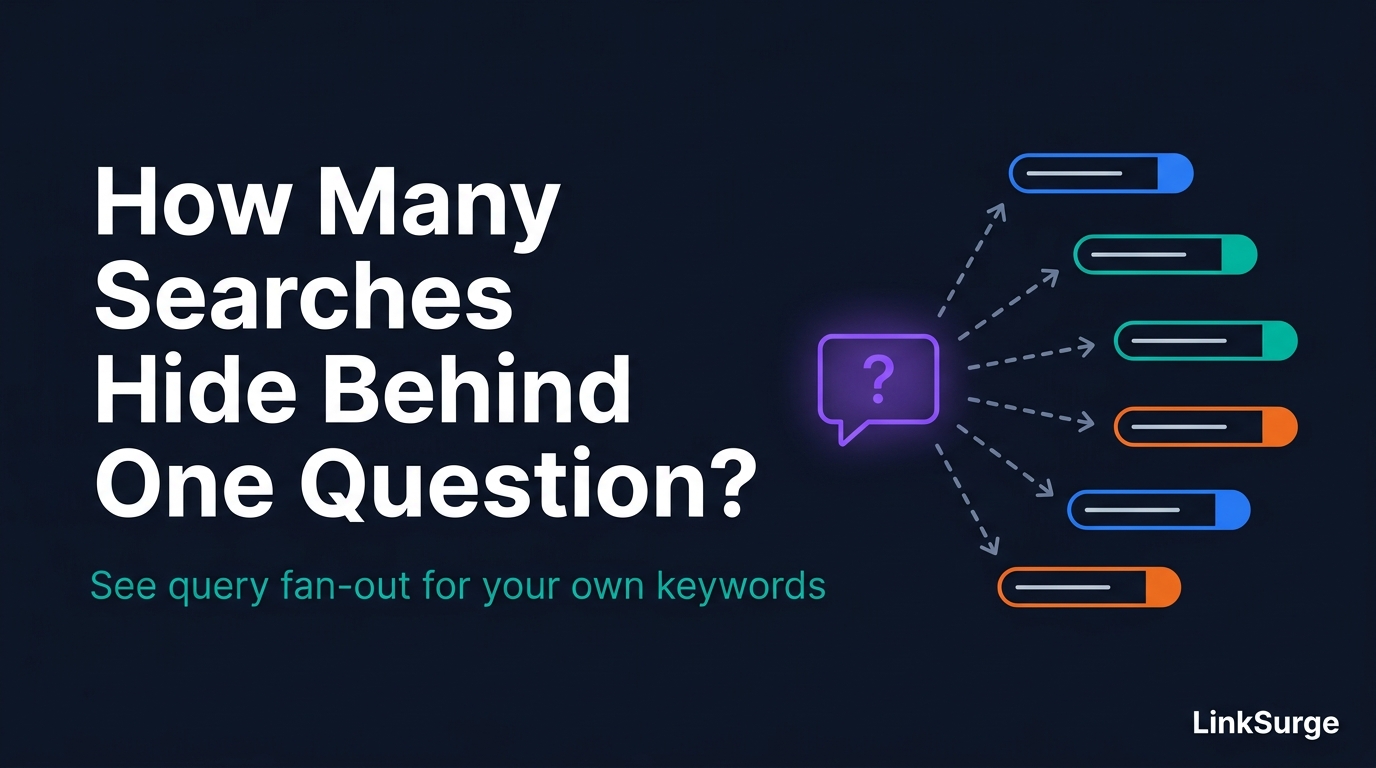
Query fan-out is how AI answers a question: it splits the question into smaller ones, searches for each and gathers the results. The individual searches are called sub-queries or fan-out queries.
In May 2025, Google explained that AI Mode uses a query fan-out technique, breaking a question "into subtopics" and running many searches at the same time on the user's behalf. Gemini's developer documentation likewise says the model analyzes the prompt, decides whether Google Search would help and, if needed, generates one or more search queries automatically.
Ask an AI "What's the best no-annual-fee credit card?" and it may search things like "no annual fee credit card rewards rate" and "no annual fee card drawbacks" behind the scenes, then build its answer from the results.
For more on how it works, see "What Is Query Fan-Out? A Beginner's Guide."
Sources: AI in Search: Going beyond information to intelligence - Google Grounding with Google Search - Gemini API
2. Why Check Your Own Keywords?
Traditional SEO aims to rank for one keyword. In AI search, though, the pages AI cites are chosen from the results of its behind-the-scenes sub-queries.
In Zyppy's September 2026 survey, where 130+ experts scored the factors behind citations in Google's AI search, "organic fan-out coverage rankings" scored +1.91, just above "organic search ranking" at +1.89. Being findable for the hidden sub-queries, not just the visible keyword, appears to shape who gets cited.
The catch is that sub-queries are normally invisible. They don't show up in Search Console. Checking once what AI actually searches for your keywords makes your targets concrete.
3. Five Types of Sub-Queries
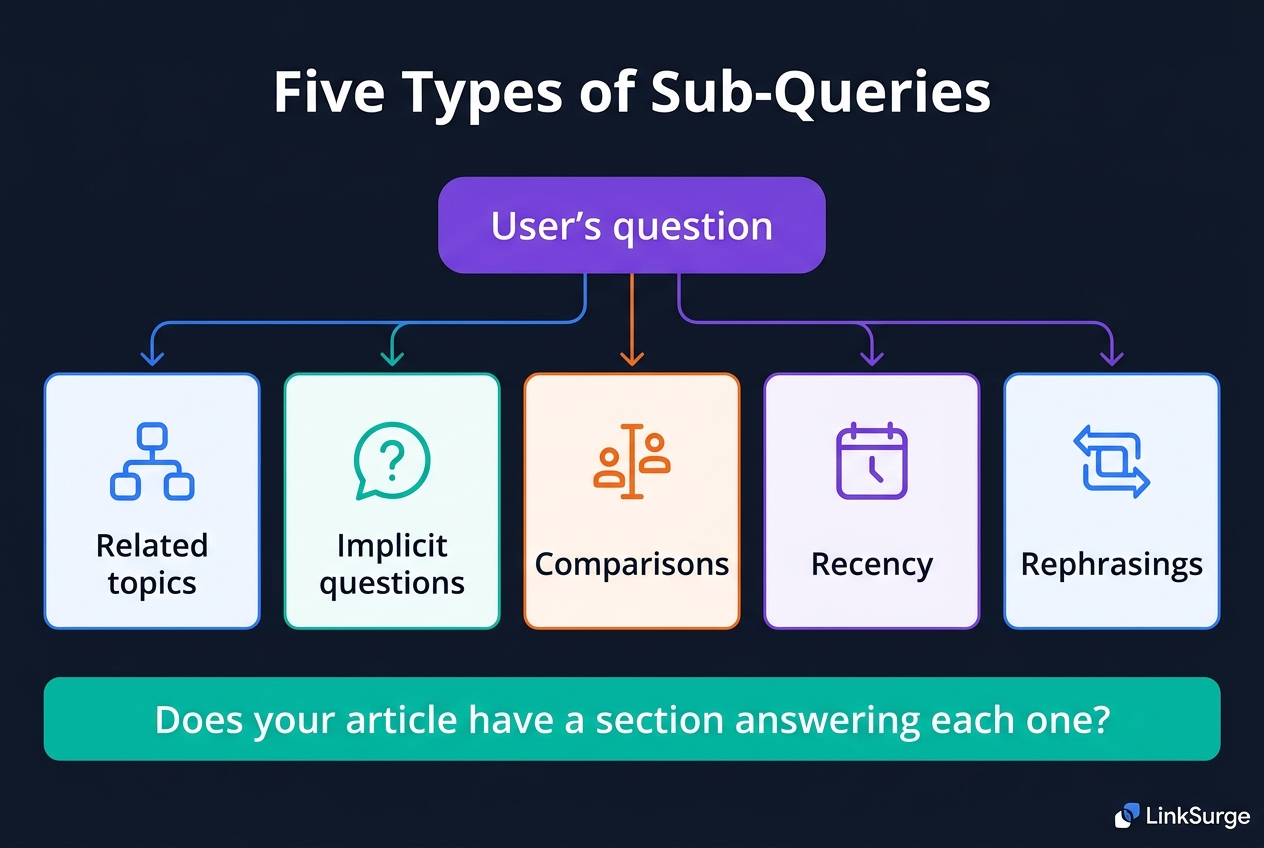
Sub-queries tend to fall into five types. The examples below assume the question "What's the best no-annual-fee credit card?"
| Type | What it covers | Example sub-query |
|---|---|---|
| Related topics | Surrounding topics worth knowing alongside the question | no annual fee credit card rewards rate |
| Implicit questions | Assumptions not stated in the question but needed to answer it | no annual fee card approval requirements |
| Comparisons | Differences between options | no annual fee cards compare rewards perks |
| Recency | Whether the information is current | no annual fee credit card 2026 |
| Rephrasings | The same intent in other words | best free credit cards ranking |
List your article's headings and check which of these five types each one answers. Implicit questions and recency in particular are easy for writers to skip because they seem obvious.
ChatGPT's sub-queries have similar habits. See "What Happened to ChatGPT's Query Fan-Out."
4. Step by Step: LinkSurge's Query Fan-Out Analysis
Here's how the process looks in LinkSurge's query fan-out analysis. Enter a question, and it lists the searches Gemini, Google's AI, actually ran to answer it. The interface is in Japanese. For an overview, see the query fan-out analysis feature page (in Japanese).
Step 1: Enter a question
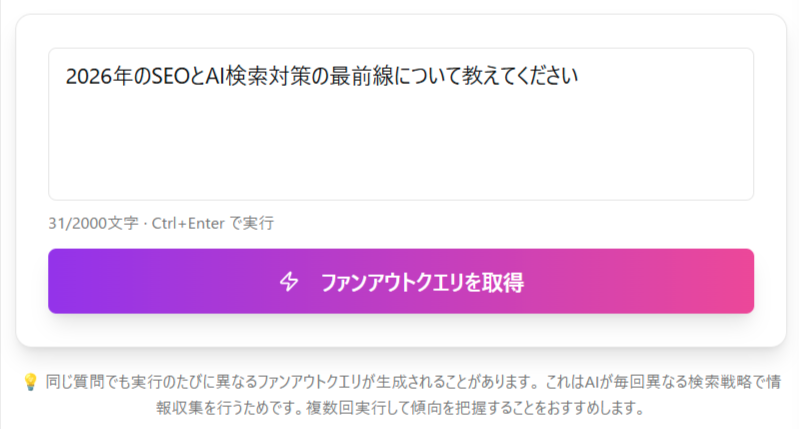
Enter the topic as a question (up to 2,000 characters), then click the button to fetch fan-out queries.
- Phrase it the way a user would ask an AI, such as "Tell me about..." or "How do I choose...?"
- Words that need current information, like "in 2026" or "latest," make AI more likely to search
- Specific questions that touch on several angles tend to produce more sub-queries
Each run uses 100 points. If the AI doesn't search and no sub-queries come back, only 10 points are used.
Step 2: Review the fan-out query list

When the analysis finishes, the searches AI actually ran are listed with numbers. Where search volume data exists, it's shown too. Many AI-generated queries are long phrases with no volume data, and those are marked as having none.
Under each query are buttons that hand it to other LinkSurge features, such as competitor check, related keywords, keyword suggestions and article generation (each uses that feature's points). On the right is the list of sites the AI cited in its answer.
Step 3: Compare the AI's answer with real search results
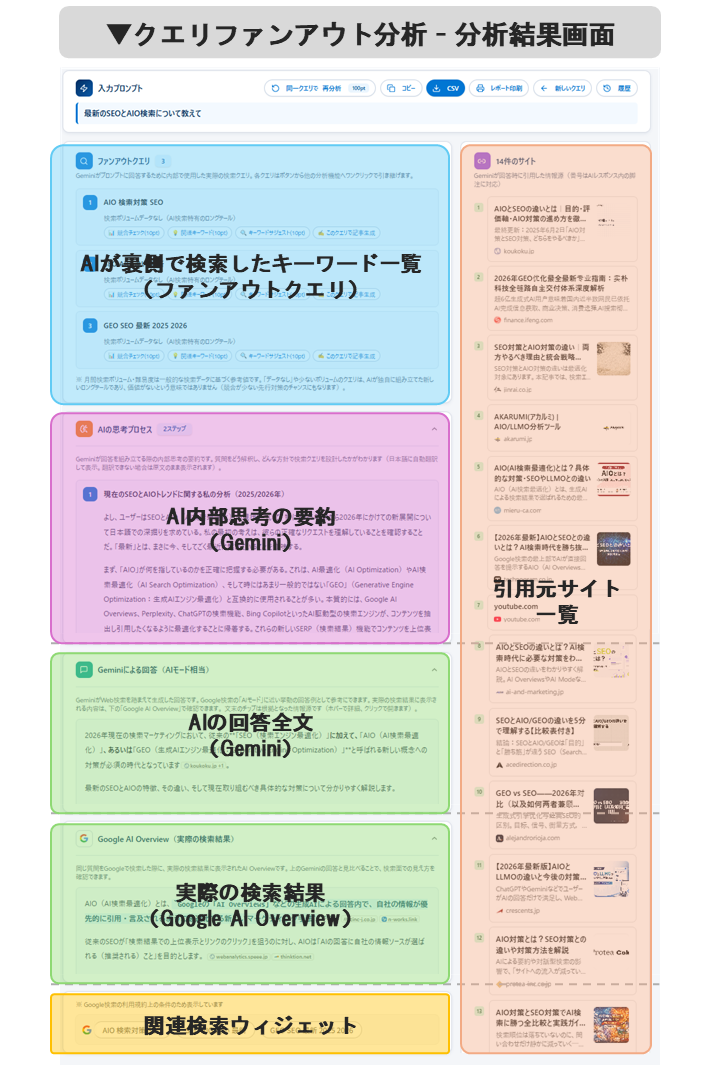
Below the list you'll find:
- AI thought process: a summary of how the AI interpreted the question and what it set out to find
- Gemini's answer: the AI's full answer. Citation chips in the text open the source sites
- Google AI Overview (real search results): the AI Overview Google showed for the same question, so you can compare it with Gemini's answer. Fetching it uses no extra points
- Related searches: search suggestions linking to Google Search
Step 4: Save your results
You can copy the queries or download them as CSV, and save a PDF via "print report." Results stay in your history for 12 hours.

LinkSurge
linksurge.jp
SEO・AIO・GEO統合分析プラットフォーム。AI Overviews分析、SEO順位計測、GEO引用最適化など、生成AI時代のブランド露出を最大化するための分析ツールを提供しています。
5. Turning Results Into Headings
Once you have the sub-query list, work it into your article in three steps.
1. Line them up against your headings. Match each sub-query to the heading in your article that answers it. Sub-queries with no matching heading are what your article is missing.
2. Add the missing headings. For each unanswered sub-query, add a heading and its answer. Write each section so it makes sense on its own (see "Can Each Section of Your Article Stand Alone?").
3. Compare with the cited sites. Look at how the sites the AI cited answer each sub-query, and fill in facts and examples your article lacks.
To automate matching sub-queries against your headings, choose "+ what's missing" in LinkSurge's heading optimization analysis. It lists the questions AI search actually searched for that no section of your article answers.
6. Caveats
- Sub-queries change every run. Even for the same question, AI searches with slightly different wording each time. Don't judge from one run. Try a few times and focus on what keeps coming back
- You're seeing Gemini's searches. They won't necessarily match what Google's AI Mode, AI Overviews or ChatGPT search for. Use them to understand how AI search gathers information
- Sometimes there are no sub-queries. If the AI decides it can answer without searching, you'll get zero, and only 10 points are used
- Queries without search volume still matter. Many long AI-generated phrases have no traditional volume data. No number doesn't mean no need to cover it
Frequently Asked Questions
What is query fan-out?
It's how AI answers a question by splitting it into smaller questions, searching for each and gathering the results. Google says AI Mode breaks your question into subtopics and issues many queries at once on your behalf.
Can I see sub-queries in Search Console?
No. Sub-queries are searches AI runs behind the scenes, so they don't appear in Search Console's performance report. To find out which sub-queries are used for your keywords, you need to actually ask an AI and extract the searches it ran.
Why do the sub-queries change every time I run the same question?
The AI decides how to split and research the question fresh each time. Some variation in wording is normal, so run it a few times and focus on words or intents that keep recurring.
How many points does the query fan-out analysis use?
100 points per run. If the AI doesn't search and no sub-queries come back, only 10 points are used. Re-running the same question also costs 100 points.
Conclusion: See AI's Hidden Searches, Then Cover Them With Headings
AI search splits one question into several searches to gather information. Since cited pages are chosen from the results of those hidden searches, it matters whether your article has headings that answer the sub-queries, not just the visible keyword.
Start by turning your main keyword into a question a user might ask an AI, and see what the AI actually searches for. Review your article against the five types, related topics, implicit questions, comparisons, recency and rephrasings, and the missing headings will show.
LinkSurge's query fan-out analysis shows the searches AI actually ran, the cited sites and the AI's answer, from just a question.